How to Set Up Home Internet and TV in Israel
Arriving in Israel, you're hit with a whirlwind of new experiences, but one universal truth quickly emerges: you need to get connected. Figuring out how to set up home internet and TV can feel like navigating a maze, especially with the unique two-tier system and language barriers. This comprehensive guide will walk you through every step, helping you demystify the process and get your new Israeli home wired up.
The Israeli Internet Landscape: Understanding the Basics
Let's be honest, trying to understand how the internet works in Israel can feel like deciphering an ancient text, especially if you're used to a simpler system back home. It’s not just one company providing everything; there’s a distinct separation that often catches newcomers off guard. Grasping this fundamental difference is truly the first step to avoiding frustration.
The Two-Tier System: Infrastructure vs. Provider
This is arguably the most confusing aspect for many expats. Unlike many countries where a single company might own the lines and sell you the internet service, Israel operates on a two-tier model. You have an infrastructure provider and an Internet Service Provider (ISP). Think of it like this: one company lays down the roads (the physical cables or fiber optic lines), and another company sells you the car that drives on those roads (the actual internet service). This means you often need to sign up with two different companies to get connected.
For instance, you might get your physical line from Bezeq or HOT, and then your internet service from a completely separate company like 012 Smile or Bezeq International. This system, while seemingly convoluted, actually aims to foster competition, theoretically giving you more choices for your internet service plan. However, it also means two sets of bills, two potential customer service departments to call, and double the fun when troubleshooting. It’s important to clarify with any potential provider exactly what they are offering: is it just the service, or do they include the infrastructure as part of a bundled deal (which some now do to simplify things)? Don't just assume; ask explicitly, "Does this include the tash'tit (infrastructure) or just the sapak (provider)?"
Key Players in the Israeli Internet Market
Understanding who the major players are can help you navigate your options. On the infrastructure side, the main names you’ll encounter are:
- Bezeq: Traditionally the dominant fixed-line telephone provider, Bezeq owns a vast network of copper lines (ADSL/VDSL) and has been aggressively rolling out its fiber optic network, known as Bezeq Fiber. If you're in an older building without fiber, you'll likely be on Bezeq's copper lines.
- HOT: Primarily a cable TV provider, HOT also offers internet service over its cable infrastructure. They've also been expanding their fiber network.
- Partner and Cellcom: These two started as mobile phone companies but have invested heavily in their own independent fiber optic networks, often marketed as "Partner Fiber" and "Cellcom Fiber." If your building has access to one of these, you might get excellent speeds.
Then, you have the Internet Service Providers (ISPs), who sell you the actual internet access. Some of these also own their own infrastructure, blurring the lines a bit, especially with fiber:
- 012 Smile: A popular choice for many, known for competitive pricing.
- HotNet: Often bundled with HOT cable TV and infrastructure.
- Bezeq International (B.I.L.): Often bundled with Bezeq infrastructure.
- Partner and Cellcom: As mentioned, they act as both infrastructure and ISP for their own fiber networks, and sometimes as ISPs over other infrastructure.
- Other smaller players: There are a few other, often more niche, providers like Triple C or Unlimited (IBC), which might be available depending on your exact location.
When you're trying to figure out which company to go with, it really boils down to what infrastructure is available at your specific address. A good starting point is usually to check with your building's vaad bayit (building committee) or your landlord, as they often know which companies have already laid fiber in the building. For more insights on picking a provider, you might find our guide on How to Choose a Mobile and Internet Provider in Israel particularly helpful.
Getting Your Home Connected: Step-by-Step for Internet
Okay, now that we've unravelled the infrastructure mystery, let's get down to the brass tacks of actually getting that sweet, sweet internet flowing into your Israeli abode. This process can be a bit fiddly, and patience is definitely a virtue here. Remember, you're dealing with a system that prioritizes its own logic, so being prepared for a few twists and turns will save you a lot of stress.
Assessing Your Home's Infrastructure
Before you even start calling companies, you need to play detective. The first crucial step is to figure out what kind of internet infrastructure is actually available at your specific address. This isn't always straightforward, as availability can vary from street to street, and even between buildings on the same street.
Start by asking your landlord or the previous tenant what they used. They’re often the best source of hyper-local information. If you're renting, your landlord is actually a key player here, as they often have the final say on any new installations that might be needed. If fiber optic internet is your goal (and honestly, it should be if you can get it), check if the building is already wired for Bezeq Fiber, Partner Fiber, Cellcom Fiber, or HOT Fiber. Many newer buildings, especially in cities like Tel Aviv, will have fiber readily available, offering speeds of up to 1,000 Mbps. If fiber isn't an option, you'll likely be looking at ADSL/VDSL over Bezeq's copper lines or cable internet through HOT. Knowing your infrastructure limitations upfront will narrow down your choices considerably and prevent you from wasting time on providers who simply can't service your address. This is also important to consider if you're thinking about renting an apartment in Israel, as infrastructure can impact your living experience.
Choosing Your Internet Service Provider (ISP)
Once you know your infrastructure options, it’s time to pick your ISP. This is where you'll spend most of your energy. Don’t just jump at the first offer; do your homework. Several factors should weigh into your decision:
- Speed: What are your needs? Are you a casual browser or a remote worker who needs lightning-fast, reliable internet for video calls and large file transfers? Remember, advertised speeds are "up to" speeds. Fiber generally offers the highest and most consistent speeds.
- Price: Compare the monthly costs. Remember to factor in both the infrastructure cost and the ISP cost, even if they're bundled. Ask about any hidden fees or mandatory equipment rentals.
- Customer Service: This is HUGE for expats. Look for providers known for having English-speaking support. This can be a game-changer when you need to troubleshoot an issue. Companies like Partner and Cellcom often have dedicated English lines, which can be a lifeline.
- Contract Terms: Are you locked into a long-term contract? What are the early cancellation fees? It's always a good idea to clarify these details, especially if your plans in Israel aren't set in stone.
- Bundles: Many providers offer attractive bundles that combine internet, TV, and even mobile phone service. While these can offer savings, make sure you actually need all components of the bundle. Our guide on How Much Does Home Internet Cost Per Month in Israel? might help you compare prices more effectively.
When you're comparing, it's worth noting that prices can change frequently, so always confirm the latest offers. While some providers might lure you with a low introductory price, make sure you understand what the cost will be after the initial promotional period ends. Also, consider the total cost of living, as these small monthly expenses add up, which is something we cover in The Complete Guide to Cost of Living in Israel for Expats (2026).
The Installation Process and What to Expect
You’ve chosen your provider(s), signed the paperwork (or clicked "agree" online), and now comes the moment of truth: installation. This part can be straightforward, or it can test every ounce of your patience.
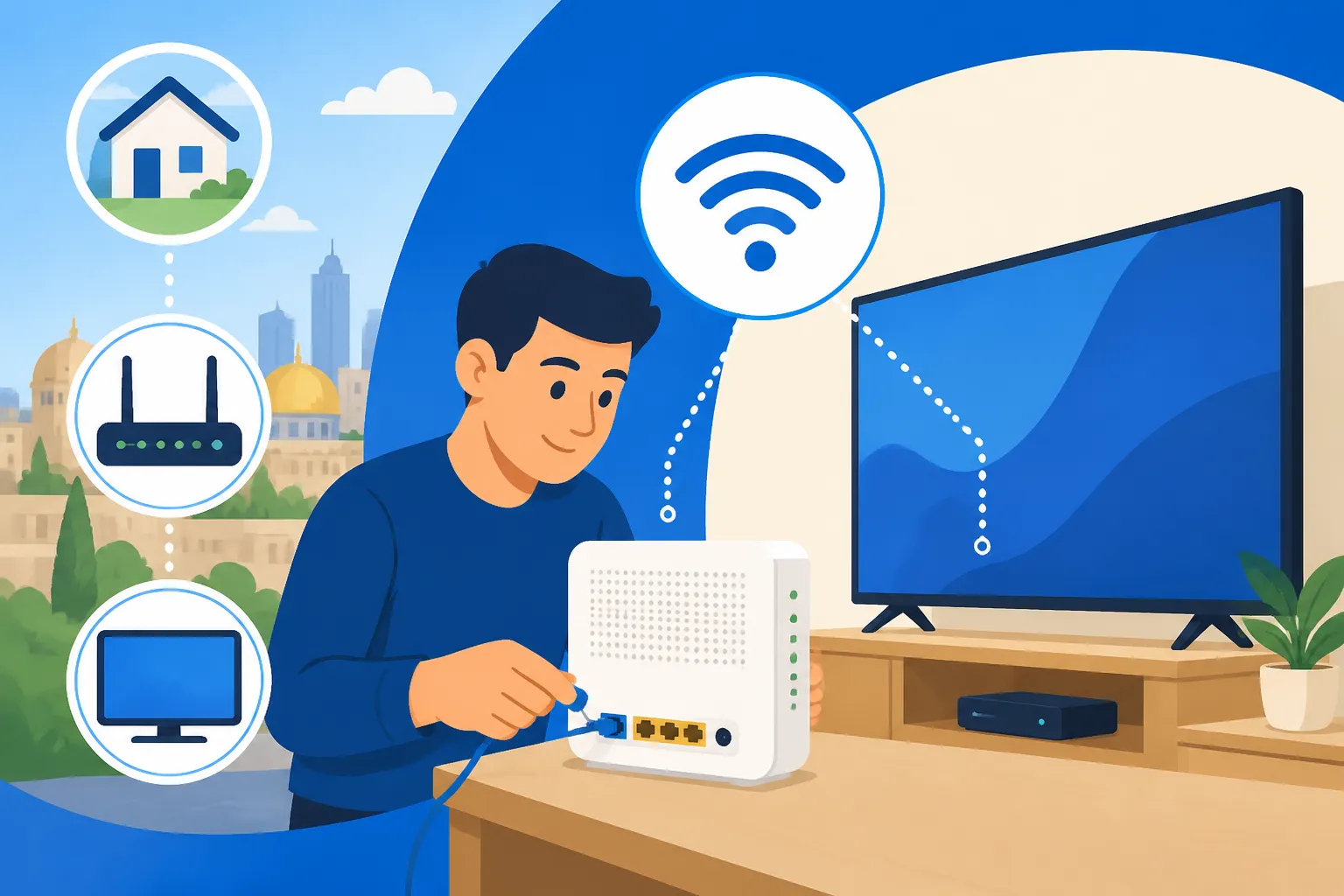
First, you’ll typically schedule an installation appointment with the infrastructure provider. Be prepared for a window, not an exact time. "Between 8 AM and 5 PM" is a common scheduling format, meaning you'll likely need to block out an entire day. Make sure someone is home who can communicate with the technician, ideally in Hebrew, or have a friend on standby to translate. The technician will come to your home to activate the line, install the modem, and ensure the basic connection is working. If you live in an apartment building, they might need access to the building's communication room (heder tikshoret) in the basement or ground floor. It's often helpful to have your landlord or vaad bayit contact information readily available in case the technician needs access.
Once the physical line is active and the modem is installed, the ISP usually takes over to ensure their service is active. Sometimes this is a seamless transition, other times it might require a separate phone call to activate the internet service itself after the technician leaves. If you're bundling, the TV box installation might happen at the same time or require a separate visit. Be proactive: if the technician leaves and your internet isn't working, don't wait. Call your ISP immediately to troubleshoot. They might need to send a signal, or there might be a minor configuration issue. Expect some potential back-and-forth, and don’t be afraid to keep calling until you're fully connected.
Navigating TV Options in Israel
So, you've got your internet humming along, which is fantastic! Now, what about your evening entertainment? The world of Israeli television has also evolved quite a bit, offering more choices than just the traditional cable and satellite packages that used to dominate the market. For expats, this means more flexibility and potentially more content in languages other than Hebrew.
Traditional Cable and Satellite Services
For many years, two main giants ruled the Israeli TV landscape: HOT (cable) and Yes (satellite). These providers offer comprehensive channel packages, often including international news, sports, and entertainment channels.
- HOT: As a cable provider, HOT offers its TV service over its own infrastructure. They typically have various packages that can be bundled with internet and phone services, which can sometimes lead to discounts. Their offerings include a wide range of Israeli channels, international news (like CNN, BBC), and often a selection of English-language movie and series channels. The user interface is often in Hebrew, but some set-top boxes offer English menu options.
- Yes: Yes is a satellite TV provider. This means they require a satellite dish, usually installed on your roof or balcony. Yes also offers comprehensive packages, including many of the same international channels as HOT, along with a strong focus on high-quality series and sports. They've also moved into the streaming world with "Yes+," which integrates streaming apps into their traditional service. Like HOT, their primary interface is Hebrew, but English options are usually available within the settings.
Choosing between HOT and Yes often comes down to personal preference for content, pricing, and whether you prefer cable or satellite technology. Both offer relatively similar premium services, and both can be pricey, especially if you opt for the full range of channels and add-ons. It's worth scrutinizing their packages carefully to ensure you're not paying for channels you'll never watch. Also, be aware that getting an identity card like a Teudat Zehut (Identity Card) in Israel is often a prerequisite for signing long-term contracts with these providers.
Streaming Services and Cord-Cutting Alternatives
For many expats, especially those who prefer English-language content and a more flexible viewing experience, streaming services have become incredibly popular. The "cord-cutting" trend is very much alive and well in Israel, offering cheaper and often more diverse options.
- International Streaming Giants: All the major international players are here: Netflix, Amazon Prime Video, Apple TV+, and Disney+. These services offer a vast library of movies and TV shows, with most content available in English, often with Hebrew subtitles or dubbing options. Many expats find these sufficient for their entertainment needs.
- Israeli Streaming Services: Local companies have also jumped into the streaming game, often at a more affordable price point than traditional cable/satellite.
- Cellcom TV: Offers a mix of Israeli and international channels, VOD content, and integration with popular streaming apps, all over your internet connection. They often provide an Android TV box as part of the package.
- Partner TV: Similar to Cellcom TV, Partner offers a streaming service with live channels, VOD, and app integration. Like Cellcom, it runs entirely over your internet connection.
- STINGTV: HOT's own streaming service, offering a lighter package than full cable, focusing on popular channels and VOD.
- VPN Considerations: If you're keen on accessing content from your home country's streaming services (e.g., BBC iPlayer, Hulu, specific regional Netflix libraries), you'll almost certainly need a Virtual Private Network (VPN). Be aware that not all VPNs work reliably with all streaming services, and streaming companies are constantly trying to block VPN traffic. Do some research to find a reputable VPN provider that works well for your specific needs. Setting up a reliable VPN is often a key consideration for expats who are Working Remotely from Israel: The Definitive Expat Guide (2027).
The beauty of streaming is its flexibility. You typically pay month-to-month, with no long-term contracts, making it easy to subscribe and unsubscribe as your needs change. For those who prioritize cost savings and have a decent internet connection, a combination of international and Israeli streaming services can provide a rich and satisfying viewing experience without the hefty price tag of traditional cable or satellite.
Costs, Contracts, and Customer Service: What Expats Need to Know
Alright, let’s talk about the nitty-gritty: the money, the commitments, and the inevitable calls to customer service. This is where many expats hit their stride, or, more often, a wall of frustration. Being prepared for the financial implications and knowing how to navigate the service maze can save you a lot of grief.
Breaking Down the Costs: Installation, Monthly Fees, Equipment
Understanding the true cost of getting connected in Israel requires a keen eye. It's not just a single monthly fee; there are several components to consider:
- Installation Fees: Almost every new connection, especially for infrastructure, will incur an installation fee. This can range from a nominal charge to several hundred shekels, depending on the complexity of the installation (e.g., running new fiber vs. activating an existing line). Some providers waive this fee as part of a promotion, so always ask.
- Infrastructure Monthly Fee: If you're on the two-tier system, you'll pay a monthly fee to your infrastructure provider (Bezeq, HOT, Partner, Cellcom for their own fiber). This fee covers the maintenance and use of the physical line to your home.
- ISP Monthly Fee: Separately, you'll pay your internet service provider (012 Smile, HotNet, etc.) a monthly fee for the actual internet access.
- Equipment Rental/Purchase: Most providers will offer to rent you a modem and/or router. This is usually a recurring monthly fee. Sometimes, they offer an option to purchase the equipment outright. Do the math: if you're staying long-term, purchasing might be cheaper in the long run. However, ensure the purchased equipment is compatible with their network and that they will still provide technical support for it.
- Router & Wi-Fi Extenders: While the basic modem/router might be included, you might need to invest in a better quality router or Wi-Fi extenders for optimal coverage throughout your home, especially if you live in a larger apartment or a house.
- TV Service Fees: If you opt for traditional cable or satellite, these fees can vary wildly based on the package, number of channels, and premium add-ons. Streaming services are usually a flat monthly fee per service.
Here's a simplified table to give you an idea of potential costs, but remember these are illustrative and can change rapidly with promotions:
| Service Component | Typical One-Time Cost (ILS) | Typical Monthly Cost (ILS) | Notes |
|---|---|---|---|
| Internet Infrastructure | 0 – 250 | 70 – 120 | Bezeq, HOT, Partner, Cellcom (Fiber) |
| Internet Service (ISP) | 0 | 50 – 100 | 012 Smile, HotNet, Bezeq Int. (based on speed) |
| Basic Modem/Router Rental | 0 | 10 – 20 | Often bundled or small monthly fee |
| Advanced Router Purchase | 200 – 800 | N/A | Recommended for better Wi-Fi |
| Cable/Satellite TV | 0 – 200 | 150 – 300+ | HOT, Yes (depends on package) |
| Streaming TV (e.g., Cellcom TV) | 0 – 100 (for box) | 30 – 90 | Cellcom TV, Partner TV, STINGTV |
| Netflix/Prime Video | N/A | 30 – 60 (per service) | International streaming services |
These costs can add up, so it's good to keep track of your budget. For other financial considerations, you might want to read our article on How to Set Up Online Banking and Transfers in Israel.
Understanding Contracts and Cancellation Policies
Before you sign on the dotted line, or agree over the phone, make sure you understand the contract terms. Israeli consumer law has made some strides in protecting consumers, but it's still crucial to be informed.
- Minimum Commitment Period: Many internet and TV providers offer lower prices if you commit to a 12 or 24-month contract. If you leave early, there might be early cancellation fees. Always ask about this upfront. If your stay in Israel is uncertain, look for month-to-month plans, even if they are slightly more expensive.
- Promotional Periods: A common tactic is to offer a significantly reduced price for the first 3-6 months, after which the price jumps. Make sure you know what the "regular" price will be after the promotion ends. Set a reminder in your calendar to review your bill and potentially renegotiate or switch providers before the higher price kicks in.
- Getting it in Writing: While much of the initial setup might be done over the phone, always request that the full terms and conditions, including pricing and cancellation policies, be sent to you in writing (email is fine). This provides a paper trail if any disputes arise later. Verbal agreements can be easily forgotten or misinterpreted.
- Cancellation Process: How do you cancel? Is there a specific phone number or email? What is the notice period? Document this information when you sign up. Remember, sometimes the process for cancelling can be as complex as signing up. Understanding Renter's Rights Under Israel's Fair Rental Law might also give you insights into broader consumer protections.
Dealing with Customer Service (Especially in English)
Ah, customer service in Israel. This can be a source of profound frustration or a surprisingly smooth experience, depending on the company, the agent, and your luck. As an expat, the language barrier is often the biggest hurdle.
- Be Patient and Persistent: This is perhaps the most important advice. Israeli customer service can be direct and sometimes seem brusque. Don't take it personally. If you don't get the answer you need on the first call, try again with a different agent.
- Ask for English Speakers: Most major providers, especially Partner and Cellcom, have dedicated English-speaking customer service lines or agents. When you call, immediately state "I need English speaker, please" or "Ani tzarich dover Anglit." They will often transfer you.
- Use Online Chat / WhatsApp: Many companies now offer customer support through their website chat or WhatsApp. This can be fantastic for expats, as you can use translation tools to communicate effectively and you have a written record of the conversation.
- Arm Yourself with Information: Before you call, have all your details ready: Teudat Zehut number, customer ID, account number, full address, and a clear description of your problem. The more prepared you are, the smoother the interaction will be.
- Leverage Third-Party Support (if available): Some relocation services or expat groups might offer assistance with these administrative tasks. Don't be afraid to ask for help from friends who are fluent in Hebrew.
Remember, they ultimately want your business, so don't be afraid to clearly state your problem and your expectations. And if you're struggling to get connected after moving, services like Sirelo can help with the broader moving process, often offering resources that simplify settling into a new home, including utilities.
Essential Tips for Expats and Newcomers
You've navigated the tricky waters of infrastructure and ISPs, you know your TV options, and you're ready for those inevitable customer service calls. Fantastic! But before you settle into your couch for a Netflix binge, here are a few more pro tips from an expat who's been there, done that, and probably spent too long on hold.
Bundling Services for Savings
In Israel, much like in many other countries, companies love to offer bundles. This usually means combining your home internet, television, and mobile phone services with a single provider. While the initial appeal is often a lower overall monthly price, it's crucial to evaluate if a bundle truly benefits you.
For example, Partner and Cellcom, who started as mobile providers, now offer competitive internet and TV packages. Bundling your mobile plan with your home internet and TV from one of these companies can often lead to significant savings. It also simplifies things by consolidating your bills and, potentially, your customer service interactions. However, be cautious: ensure that the individual components of the bundle actually meet your needs. Don't get stuck with a TV package you don't want just for a slight discount on internet. Always compare the bundled price against the cost of individual services from different providers. Sometimes, a "best of breed" approach – getting internet from one, TV from another, and mobile from a third – might be more cost-effective or offer better service quality for your specific requirements. We've got more details on comparing mobile providers in How Do I Set Up a Mobile Plan with Cellcom or Partner in Israel?.
The Importance of a Good Router and Wi-Fi Setup
The modem/router provided by your ISP often does the bare minimum. If you live in a larger apartment, a multi-story house, or simply rely heavily on Wi-Fi (who doesn't these days?), investing in a high-quality router can make a world of difference.
A stronger router can provide better Wi-Fi coverage, faster speeds within your home network, and more stable connections. If your Wi-Fi struggles to reach all corners of your home, consider Wi-Fi extenders or a mesh Wi-Fi system. These devices create a seamless network that covers your entire living space, eliminating dead zones and ensuring a consistent signal. For remote workers, especially those whose livelihood depends on a stable internet connection, a robust Wi-Fi setup isn't a luxury – it's a necessity. You can buy these from electronics stores like K.S.P., Bug, or online retailers. Make sure any equipment you buy is compatible with your ISP's modem. A good network is absolutely vital for anyone considering Working Remotely from Israel: The Definitive Expat Guide (2027).
Troubleshooting Common Internet and TV Issues
Even with the best setup, internet and TV services can sometimes hiccup. Knowing some basic troubleshooting steps can save you a phone call and a lot of frustration.
- The Classic Restart: Seriously, it works more often than you’d think. Unplug your modem and router from the power for about 30 seconds, then plug them back in. Wait a few minutes for them to fully reboot and re-establish a connection.
- Check Cables: Ensure all cables are securely plugged in – the power cables, the Ethernet cable from the modem to the router (if separate), and the cable/DSL line coming into your modem. A loose connection is a common culprit.
- Is it Just You? Check if your neighbours are also experiencing issues. If so, it might be a broader outage that your provider is already aware of and working to fix. Many providers have status pages on their websites (though often in Hebrew) or social media channels where they post updates on outages.
- Test with Ethernet: If your Wi-Fi isn't working but your modem lights indicate a connection, try plugging a computer directly into the router or modem with an Ethernet cable. If the internet works via Ethernet, the problem is with your Wi-Fi signal, not the internet connection itself.
- Contact Support: If all else fails, it’s time to call customer service. Have your account details ready and be prepared to describe the problem clearly. If you get disconnected, call back. Remember, persistence pays off in the Israeli customer service world. And while you're waiting for your home internet to be set up, or if you're experiencing a temporary outage, a local eSIM from a provider like Airalo can be a lifesaver for keeping you connected on the go, ensuring you always have a backup plan.
Getting your home connected in Israel takes a bit of patience, a little bit of planning, and a willingness to navigate a system that might be different from what you're used to. But with these tips, you'll be streaming your favourite shows and browsing the web in your new Israeli home in no time!
Disclaimer
The information provided in this guide is for general informational purposes only and does not constitute professional advice. While we strive to provide accurate and up-to-date information, services, prices, and regulations in Israel can change frequently. Always verify details with relevant service providers, government authorities, or qualified professionals before making any decisions.